Installing from SOC Dashboard
This is the standard installation path. An administrator generates a one-time installation link from the SOC dashboard, and the target endpoint uses that link to download and run the installer.
Generate the installation link
- In the SOC dashboard, add a new user. When registration completes, the dashboard generates the installation link.
- For an existing user, click the download icon
 in that user’s row to generate the link.
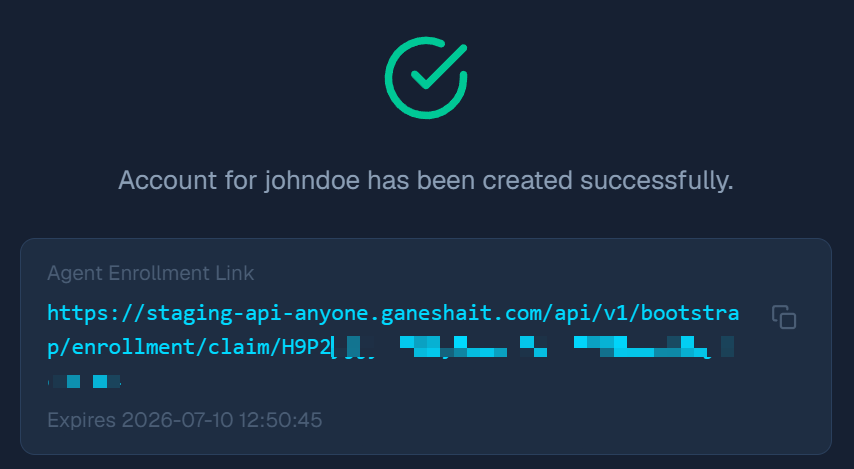
ℹ️ The link carries a claim token:
https://<base_url>/api/v1/bootstrap/enrollment/claim/<token>The token acts as the download claim and can be used only once.
Install on the endpoint
- Open the generated link from the target endpoint to download the installer.
- Run the installer with administrator privileges (important).
- The installer finishes and removes itself afterward.
Verify the installation
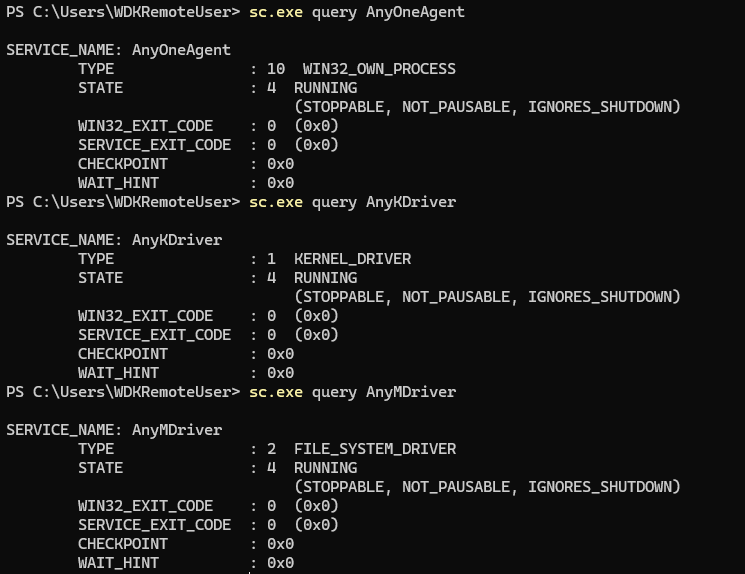
Confirm the agent service and both drivers are running:
sc.exe query AnyOneAgent
sc.exe query AnyKDriver
sc.exe query AnyMDriver
Each should report STATE: RUNNING.